For people who work shifts
Swapping a shift shouldn’t take twenty messages
You say which day you want off and which days you can give. Turneas finds the colleagues it suits and asks them. All you do is accept.
The group chat at eleven at night
Sound familiar?
You ask who can swap your Saturday. The people who can’t, answer. Someone asks for something else on top. The next day nobody remembers who said what, and the paper sheet is still pinned up in the staff room, covered in crossings-out.
Turneas does the maths for you: it knows who is off each day and whom your swap suits, and asks only those people.
- Can anyone swap my Saturday the 12th? It’s a wedding 🙏
- i’m working that weekend, sorry
- Is anyone off on Sunday the 20th? It’s for something else
- saturday morning or afternoon?
- Afternoon… anyone? 😩
47 unread messages
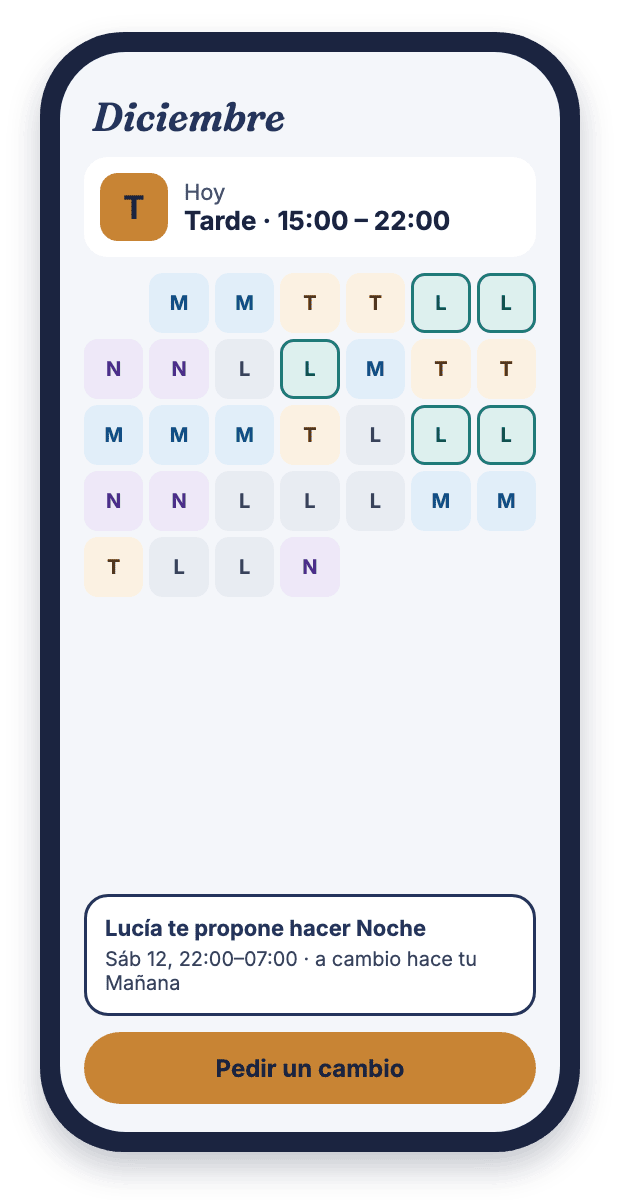
Your month, always in your pocket
Mornings, afternoons, nights and days off in their colours, by month, by week or just today. It shows even without signal in the basement. Take a photo of the month’s sheet and Turneas reads it for the whole group. Put your roster in your phone’s calendar or share it as a PDF.
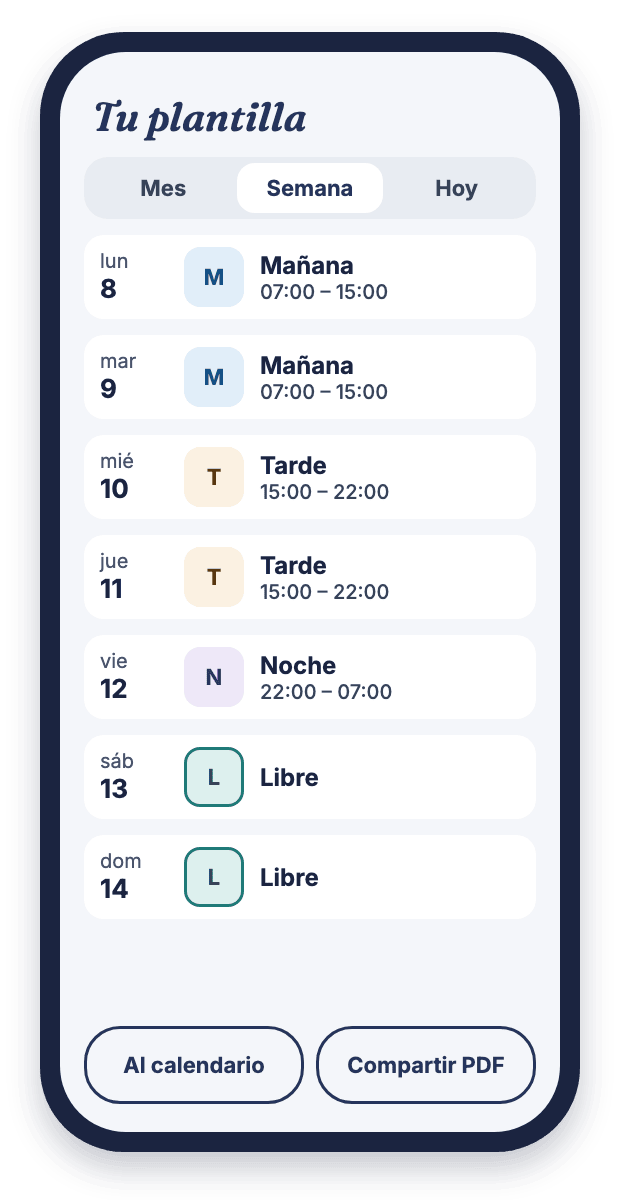
Illustration: the real screenshot is coming soon.
A screen of the app.
You choose the day. Turneas works out whom to ask.
You tap “Ask for a swap”, mark the day you want off and the days you could give. In green, the ones you can really offer. Turneas asks the people it suits, starting with your friends. Nobody gets a request that is no use to them. If you like, you ask anonymously, or you ask one particular person, who picks the day that suits them best.
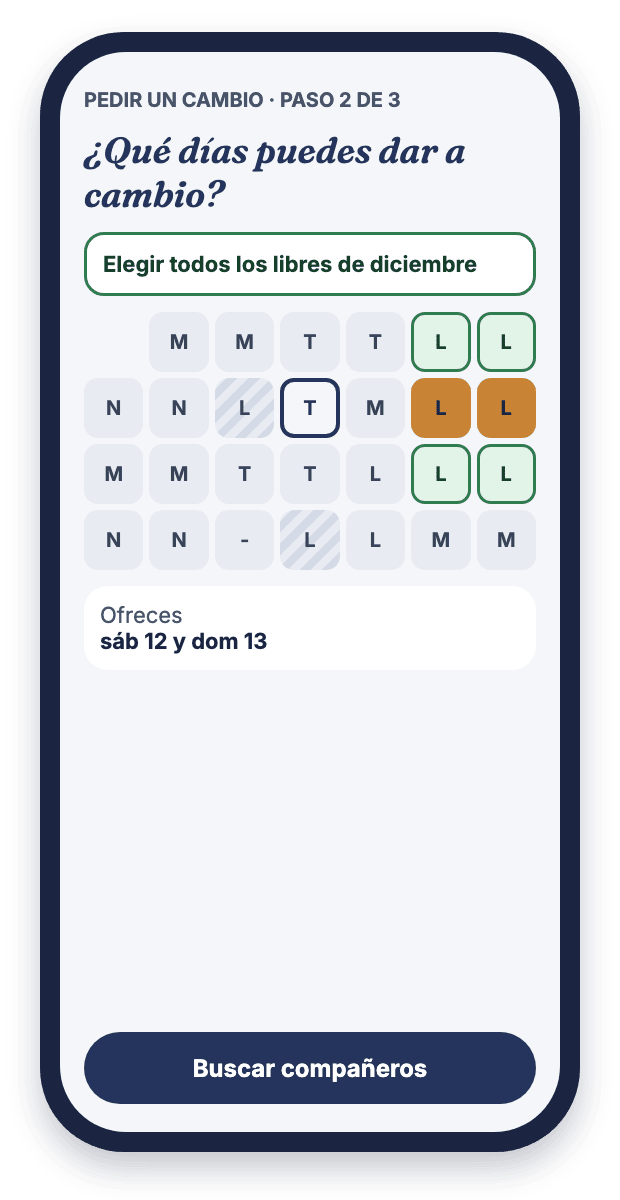
Illustration: the real screenshot is coming soon.
A screen of the app.
You know which shift you’d work before you say yes
Each proposal says which shift you would work, at what time, and what you get in return. If it isn’t the shift you usually work, it tells you. And if you have doubts, you talk it over on the same card.
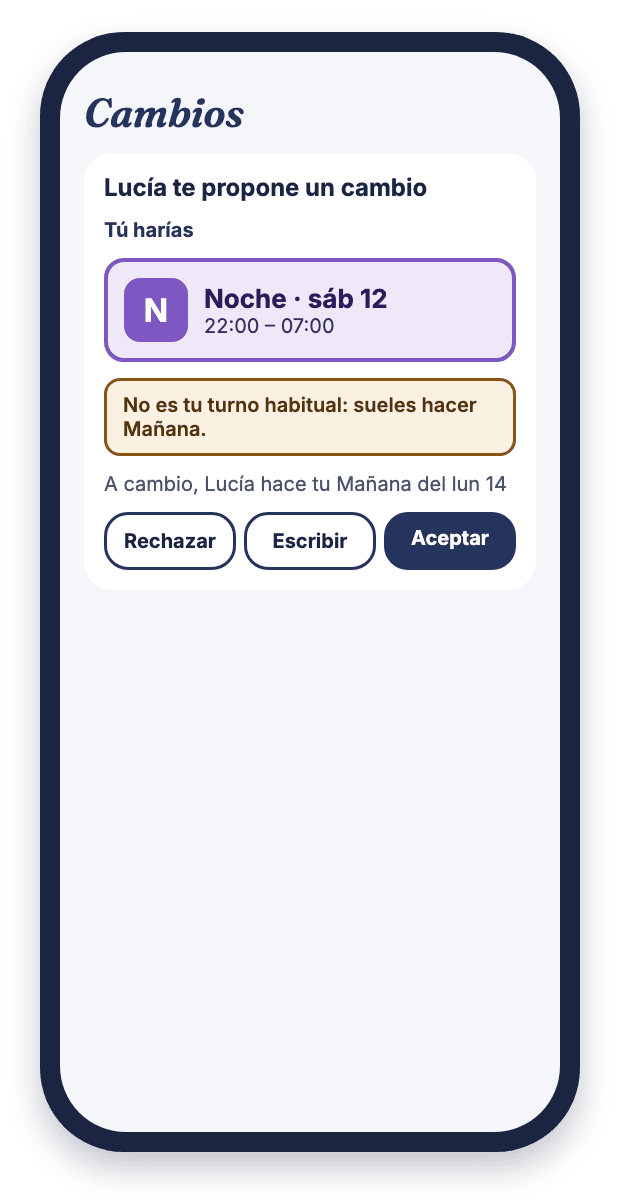
Illustration: the real screenshot is coming soon.
A screen of the app.
Be off when your people are
Your partner, a friend, your mum. Even if they don’t work with you or use the app. The days you are off together are kept so nobody takes them from you, and we let you know when a swap would line you up. Nobody else knows with whom, or why.
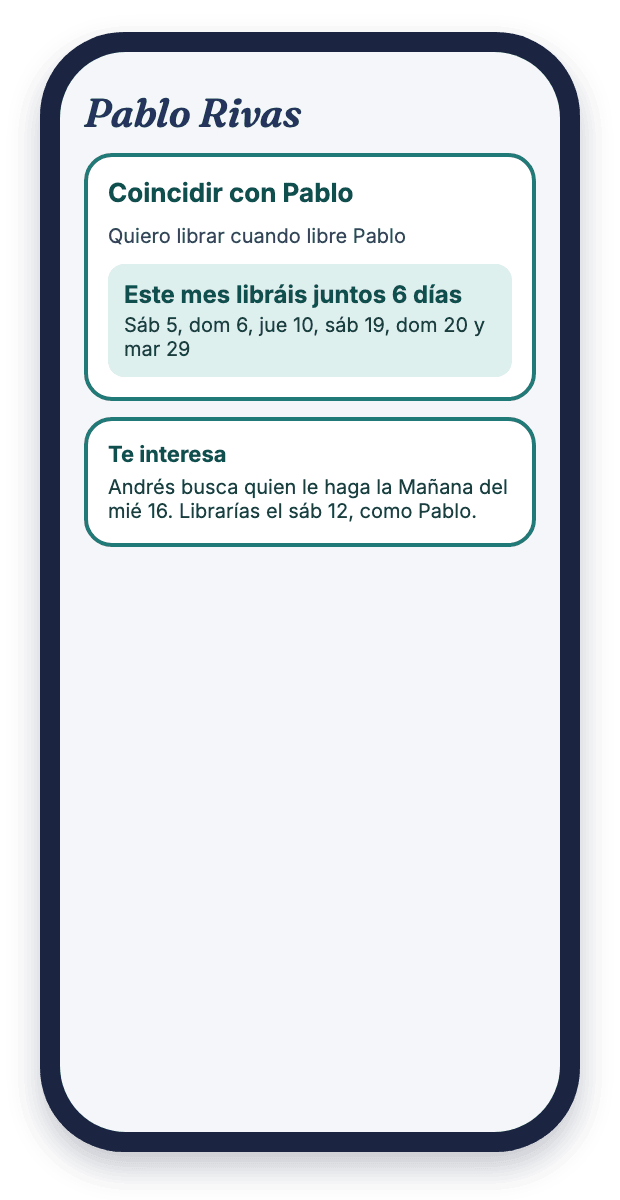
Illustration: the real screenshot is coming soon.
A screen of the app.
A long weekend? First see which days are easy
In “Find days off”, each day you work carries a number: how many colleagues could swap it with you. You ask for all the days at once, with a deadline. Either you get them all, or nothing changes.
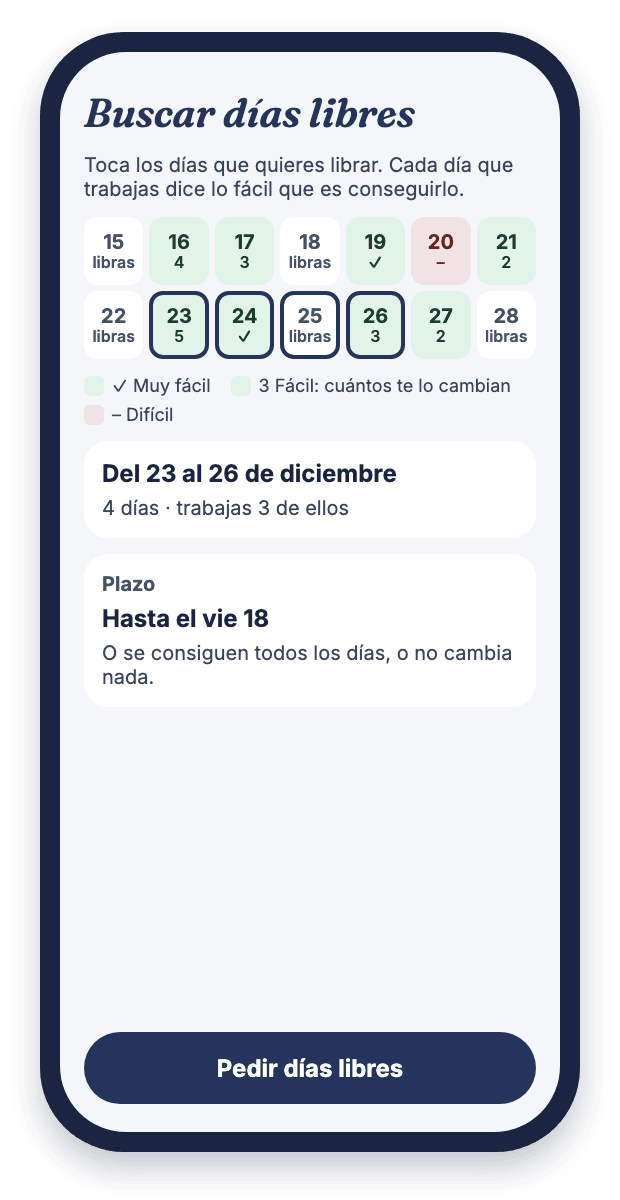
Illustration: the real screenshot is coming soon.
A screen of the app.
With the go-ahead of whoever makes the rosters
If a swap at your workplace needs a go-ahead, the group chooses how it is asked for: someone in the group gives it in the app, or you confirm it yourselves with whoever approves. The “Swap slip” sets the swap out as a PDF, and you can both sign it with your finger on the phone, or on paper. The authorisation stays with your workplace: Turneas helps you follow its procedure, it doesn’t replace it.
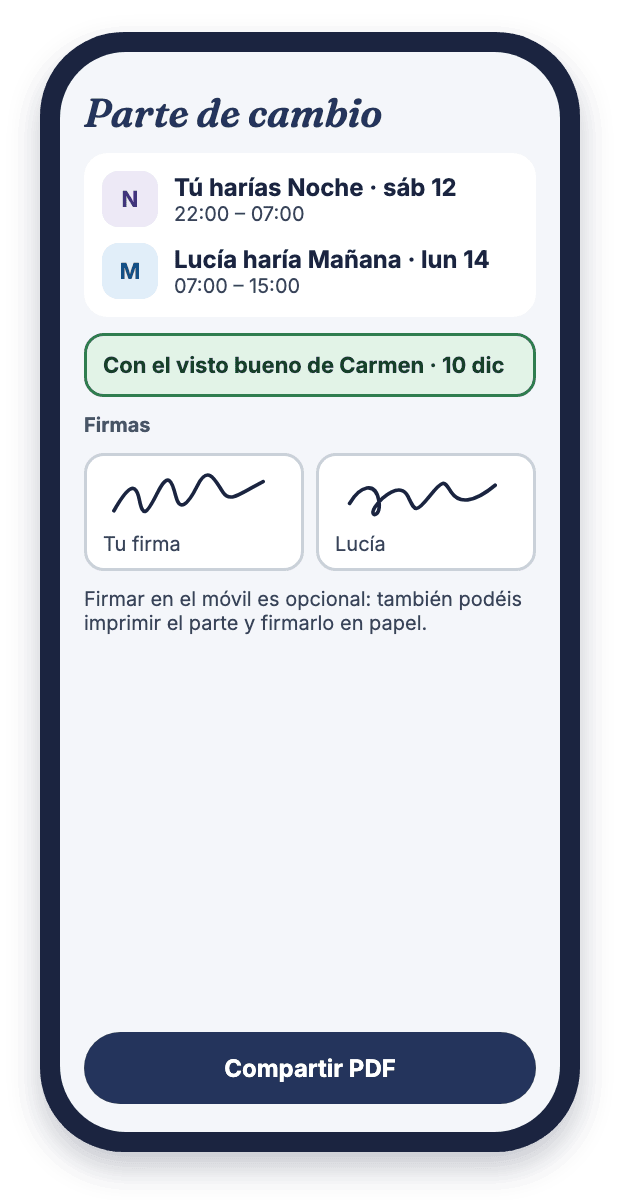
Illustration: the real screenshot is coming soon.
A screen of the app.
Made for shift teams
- Nursing
- Porters
- Healthcare technicians
- Police and firefighters
- Security
- Hospitality
- Industry
- Customer service
If your work has mornings, afternoons or nights that rotate, Turneas is for you.
Getting started takes five minutes
Create your account
With your email address.
Join your group or create it
With the code a colleague gives you. If you create it, a five-step guide gets it ready.
Add your roster
With a photo of the month’s sheet, several days at once or day by day.
Ask for your first swap
We let you know when someone accepts, and it is written into both rosters.
Your roster is yours
Turneas is made for the team, not to watch over it. It doesn’t touch your workplace’s sheet or tell anyone outside the group: if a swap has to be reported at work, that still happens the way your workplace says.
The group decides who sees the rosters
And each person can ask for theirs not to be shown, and still swap shifts.
Anonymous requests
For when you don’t want people to know who is asking.
The photo of the sheet is not kept
It is read by artificial intelligence, with your permission, and nobody in the group sees it.
Delete your account whenever you like
From the app itself, and your data with it.
Frequently asked questions
Does a swap made in Turneas count at my workplace?
Turneas is for agreeing among colleagues, and it writes the swap into your rosters. If a swap at your workplace needs a go-ahead, the group chooses how it is asked for, but the authorisation stays with your workplace: if it has to be reported there, you still do that.
Does my whole department have to use it?
The more of you there are, the more swaps fit. But it works from two people, and you can keep your roster on your own, without a group.
Who sees my roster?
The colleagues in your group, if the group keeps rosters visible. The group’s admins can keep them only for swaps, and then nobody sees anyone else’s. Even when the group shows them, you can ask the admins for yours not to be shown. Your friends still see it in both cases. If you use Turneas without a group, only you see that roster.
What happens to the photo of the sheet?
To read it, the photo is sent to Claude, the artificial intelligence by Anthropic, which sends back a table with each person’s days. Turneas asks your permission first, does not keep the photo, and nobody in the group sees it.
How much does it cost?
Free during the beta.
Which languages is Turneas in?
Spanish, Catalan, Galician, Basque, English, French, Italian, Portuguese, German, Dutch and Polish.
Try it with your team
Turneas is being tested on iPhone. If you want to use it with your department, ask for access and we will send you the invitation. Android will come later.